Power, Poop & Fences: Keeping Containment Active
How to collect dinosaur poop, load the biomass generator, monitor power percentages, and operate paddock gates safely in Totally Safe Dino Park.
Why Generator Power Is Critical
Electrical power is the primary barrier between your guests and the dinosaurs. According to the official game description, you must keep the power on or the fences go down. The top of the screen displays your current power level as a percentage alongside the current day counter. Because power drains continuously during operations, someone on your crew must routinely harvest biomass and feed the generator.
The normal fueling route shown in the tutorial uses collected dinosaur poop. Locate the generator hatch marked Insert Biomass, bring the poop to it, and follow the interaction prompt. The complete set of refueling conditions has not been tested.
Step-by-Step: Scooping Poop Inside the Paddock
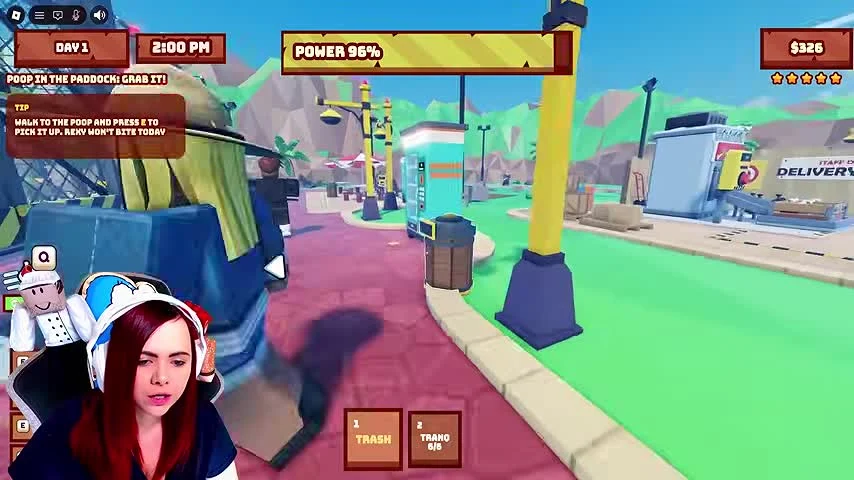
To gather fuel, look for dark piles of poop inside the dinosaur enclosure. During the tutorial sequence, an on-screen prompt highlights the pile with the message Poop in the paddock! Grab it! and instructs desktop players to walk to the poop and press E to pick it up. If you are playing on mobile or another platform, tap the interaction prompt shown on your screen.
Notice that the tutorial prompt specifically adds the reassurance that Reky wont bite today. This safety message is explicitly worded for that tutorial day. Do not assume that walking directly up to dinosaurs inside their paddocks will remain harmless on later days or with other unlocked species like Raptors.
Fueling the Generator Hatch vs. Paid Prompts
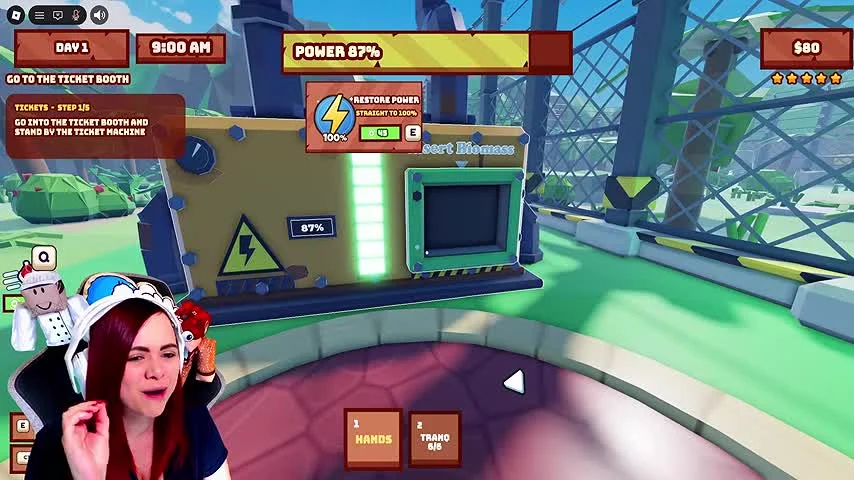
Once you are holding poop, carry it out of the paddock to the generator unit. Approach the hatch labeled Insert Biomass. As confirmed in low-power screen prompts, desktop players walk to the generator hatch and press E to put the poop in, which replenishes the park power reserve.
A separate Restore Power purchase prompt appears on the HUD, including in a frame with 87% power. It is distinct from the Insert Biomass hatch. The tutorial provides a biomass fueling route; this guide does not require a paid power purchase to follow that demonstrated route.
Operating Fence Gates and Power Recovery
Entering and exiting paddocks requires using the fence gate switch. In an inspected Day 3 frame with park power at 36%, approaching the paddock entrance displays an interaction warning that reads Gate closes, very safe. Whenever a teammate enters a paddock to scoop poop or exits back into the main walkway, make sure the gate is closed behind them so dinosaurs cannot wander out while the power is still active.
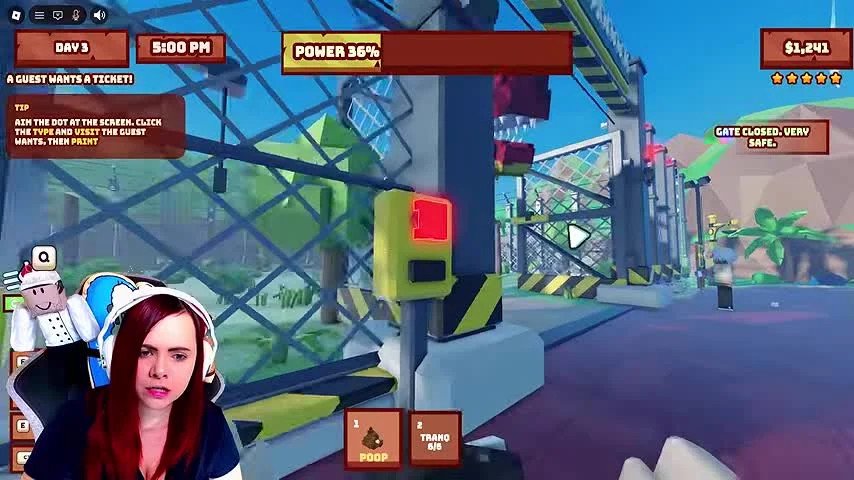
If power drops critically low, drop secondary tasks like souvenir or ticket sales and immediately haul poop to the generator hatch. Exact passive power drain rates per second and the exact percentage restored by a single piece of poop are not confirmed by official sources or inspected frames, so refuel proactively whenever you see the gauge dip into the lower percentages.